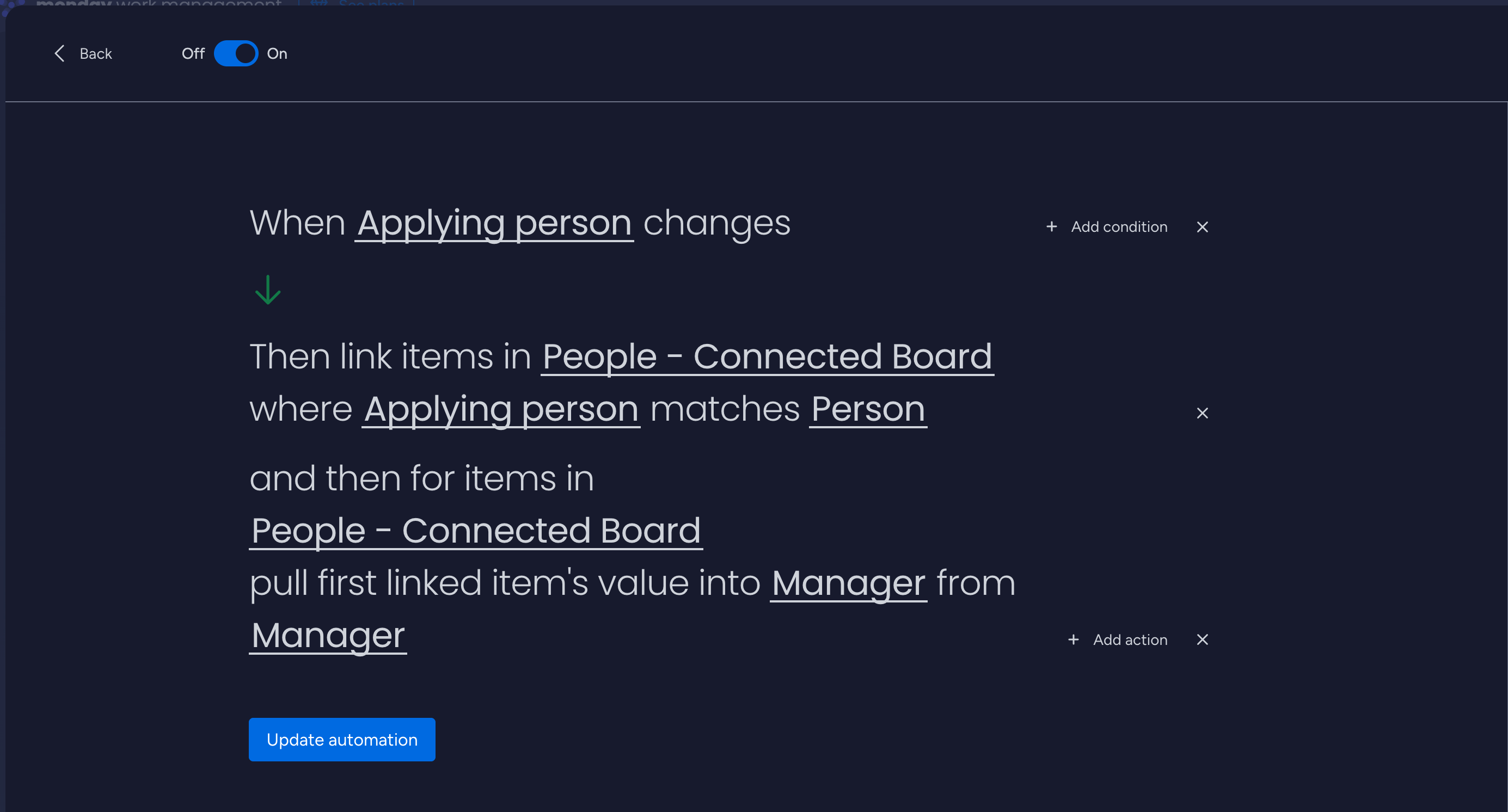
Keep linked boards in sync, pull data from connected items, and automatically
link matching items across boards — without complex formulas or manual updates.
Built by Lectonia Devs. Not affiliated with monday.com Ltd.
Built for teams managing complex cross-board workflows in monday.com.
Built with monday.com Apps FrameworkPowered by Firebase
Features
Connected Automations helps you keep related items aligned across boards, with
three core capabilities that work together.
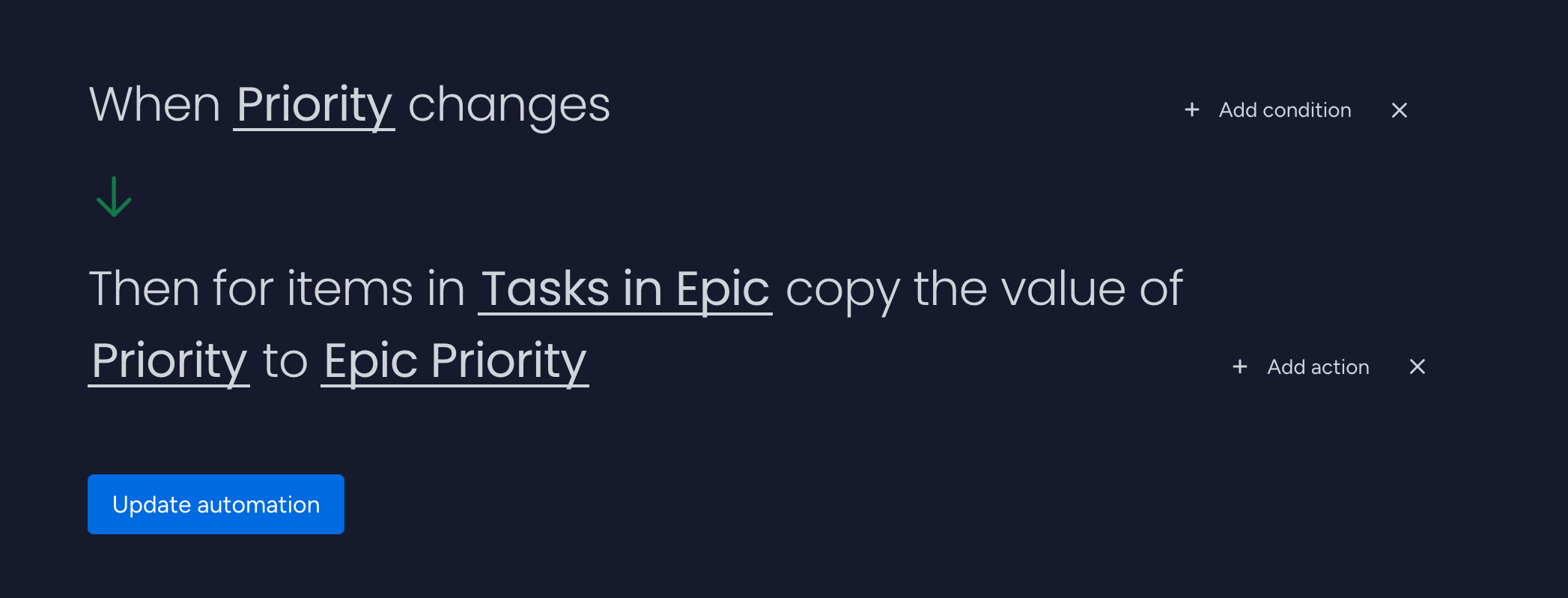
Propagate data to connected items
Automatically push values from a source item to all its connected items.
Keep names, dates, statuses, and other critical fields consistent across
dependency or relation columns.
Supports text, numbers, dates, statuses, people, and more.
Ideal for master boards that define canonical values.
Reduces manual copying and human error.
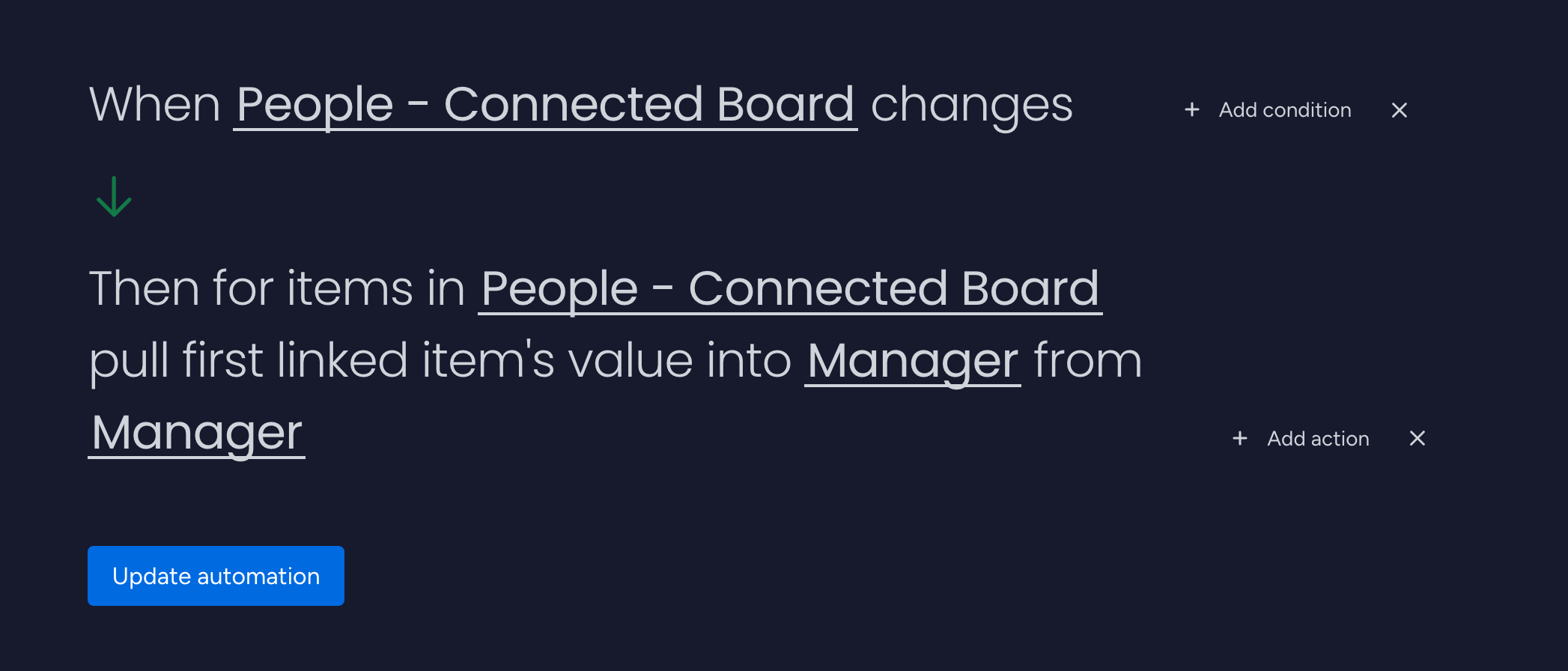
Pull data from connected items
Look up data from linked items and write it back into your current item —
perfect for summary or reporting boards that aggregate information.
Pull client details from CRM boards into project boards.
Mirror key dates or statuses in high-level portfolio boards.
Supports compatible column types with smart type handling.
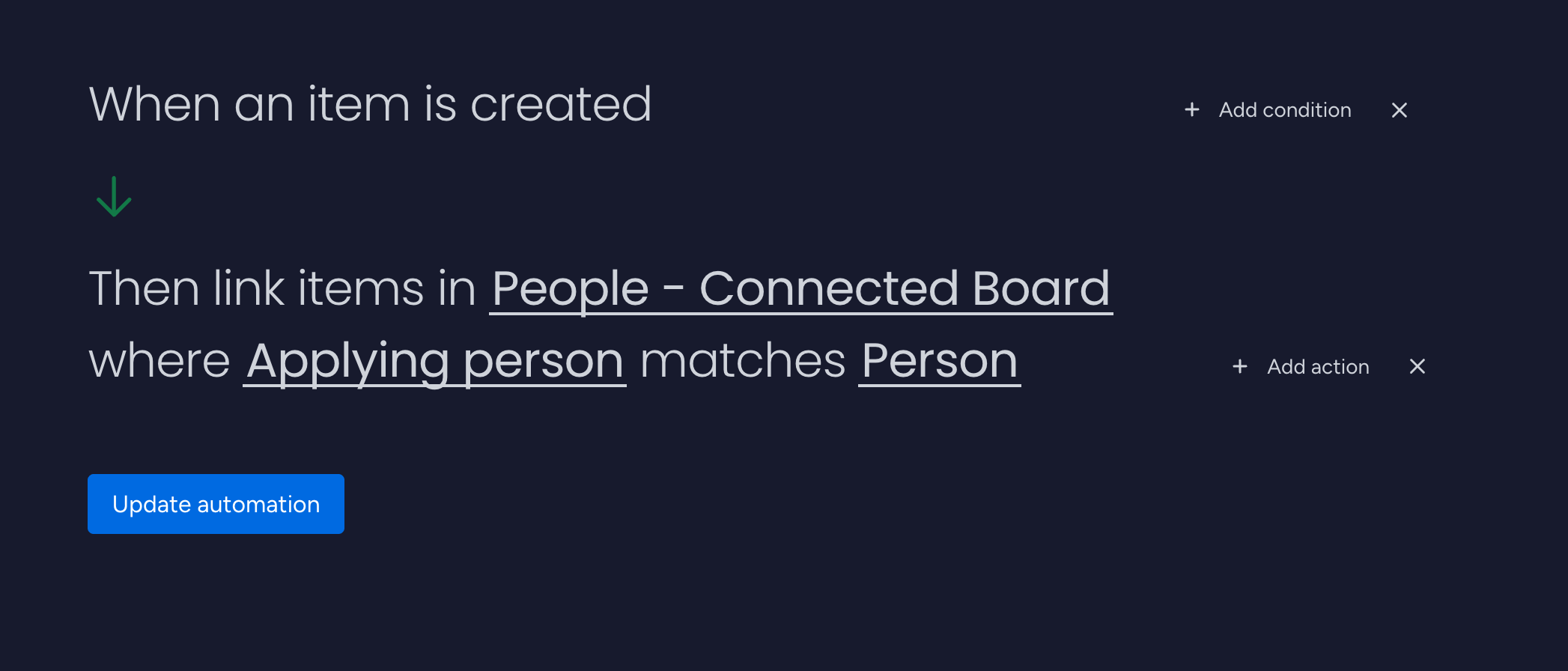
Find and link matching items
Automatically search another board for matching items (for example, by name,
status, or date) and create links so your workflows stay connected.
Define which board to search and which columns to match.
Create or update board relation columns automatically.
Eliminate repetitive manual linking.
Available automations
Connected Automations runs in the background based on the rules you configure in
your monday.com recipes:
When a column changes on a source item, propagate its value to one or more
connected items on other boards.
When linked items change, pull selected values back into the current item (for
example, names, statuses or dates).
When items are created or updated, search other boards for matches and create or
update board relations automatically.
Supported column types
Each feature supports a different set of column types. Select a feature below to see which column types are
supported.
Copy data to connected items
Column type
Checkbox
Date
Link
Long Text
Name
Numbers
People
Status
Text
Checkbox
✓
✓
✓
✓
Date
✓
✓
✓
✓
✓
Link
✓
✓
✓
✓
Long Text
✓
✓
✓
✓
✓
✓
✓
Name
✓
✓
✓
✓
Numbers
✓
✓
✓
✓
People
✓
✓
✓
✓
✓
Status
✓
✓
✓
✓
✓
Text
✓
✓
✓
✓
✓
✓
✓
Pull data from connected items
Column type
Checkbox
Date
Last Updated
Link
Long Text
Name
Numbers
People
Status
Text
Checkbox
✓
Date
✓
✓
✓
✓
Last Updated
Link
✓
✓
✓
✓
Long Text
✓
✓
✓
✓
✓
✓
✓
✓
✓
✓
Name
✓
✓
✓
✓
✓
✓
✓
✓
✓
Numbers
✓
✓
✓
✓
✓
✓
✓
✓
People
✓
✓
Status
✓
✓
✓
Text
✓
✓
✓
✓
✓
✓
✓
✓
✓
✓
Find and link matching items
Column type
Checkbox
Date
Last Updated
Link
Long Text
Name
Numbers
People
Status
Text
Checkbox
✓
✓
✓
✓
Date
✓
Last Updated
✓
✓
Link
✓
✓
✓
✓
Long Text
✓
✓
✓
Name
✓
✓
✓
✓
✓
✓
Numbers
✓
✓
✓
✓
People
✓
✓
✓
✓
✓
Status
✓
✓
✓
✓
✓
Text
✓
✓
✓
✓
How it works
Install from the monday.com marketplace, authorize once, then configure your
recipes on the boards that matter.
1
Install from monday.com
Find "Connected Automations" or "Lectonia Devs" in the monday.com Apps
Marketplace and install for your account or workspace.
Marketplace image
2
Add recipes to boards
Configure recipes to propagate values, pull data from linked items, or find
and link matches between boards. Test on non-critical data first.
3
Monitor and refine
Use monday.com activity logs and board views to validate outcomes and adjust
recipes as your workflows evolve.
Use cases
Project management
Keep project and portfolio boards aligned. Update titles, owners, and
deadlines automatically across connected boards.
Operations & delivery
Link tickets, orders, or assets from operational boards to project, client,
or reporting boards without manual relinking.
Reporting & PMO
Pull key information into high-level summary boards and dashboards, reducing
dependence on complex formulas or manual exports.
Workflow diagram
Replace this with a simple visualization of two or three boards connected by
automations to illustrate your most common use case.
Pricing
Simple, predictable pricing. Start with a free tier and scale through higher
limits as your workflows grow.
Prices and limits on this page are for convenience only. Final terms are subject
to your monday.com marketplace listing or direct agreement.
Support
Need help or have a feature request? Reach out — we respond to every message.
We do not proactively contact users who install the app for
marketing or sales. We only respond when you contact us first or when
monday.com passes us a support request that you initiate.
The app uses the monday.com Apps Framework and requests the minimum scopes
required to read and update boards and items according to the recipes you
configure. You approve these permissions during installation.
Where is my data stored?
Your primary data remains in monday.com. The app processes that data via
monday.com APIs and may use Firebase infrastructure for usage logs.
See our Privacy Policy for details.
Can you see all my boards?
Access is limited to the scopes you authorize and is used only to perform
the automations you configure. We do not have access to full account data
or access outside of an automation's runtime.
Will you contact me after I install the app?
No. We do not contact installers directly for marketing or sales. We only
reply when you contact us for support or feedback, or when you initiate a
request via monday.com.